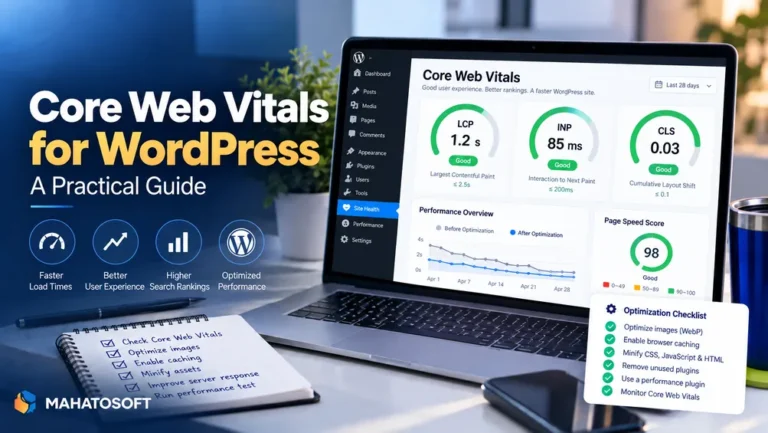
To improve LCP on a WordPress site, you need to speed up whichever single element paints last: usually a hero image, a large heading, or a banner near the top of the page. Largest Contentful Paint is the Core Web Vital most closely tied to how fast a page feels, and it is also the one WordPress sites most often fail. This guide covers exactly what slows it down and how to fix each cause.
Google’s LCP documentation scores it as good at 2.5 seconds or under, needs improvement up to 4 seconds, and poor beyond that. Field data from real visitors in Search Console is what counts for ranking, not just a one-off lab test, so fixes need to hold up across real devices and connections, not only your own fast laptop.
Find your LCP element first
Run your page through PageSpeed Insights and check which element it names as the LCP. You cannot improve LCP effectively without knowing exactly which part of the page it is measuring.
What delays LCP on a typical WordPress page
| Cause | Why it delays LCP |
|---|---|
| Slow server response (TTFB) | Nothing can paint until the browser receives the first byte of HTML |
| Render-blocking CSS or JavaScript | The browser waits for these to load before it can paint content |
| Unoptimised hero image | A large, uncompressed image takes longer to download and decode |
| Lazy-loading the LCP image itself | Delays the exact element Google is measuring first |
| Web fonts blocking text rendering | Text-based LCP elements wait for the font file if not handled correctly |
Improve LCP by fixing server response time first
No image optimisation fixes a server that takes two seconds to respond before the page even starts loading. Check your time to first byte in PageSpeed Insights or your browser’s network tab. If it is consistently slow, the cause is usually hosting resources, a lack of caching, or an overloaded database, and no front-end fix will overcome it. Page caching is the single most effective step here, since it serves a stored copy instead of rebuilding the page from PHP and the database on every visit.
Improve LCP by optimising the hero image
If your LCP element is an image, compress it properly, size it to the actual dimensions it displays at rather than shrinking a much larger file with CSS, and serve it as WebP or AVIF where your theme and hosting support it. A correctly sized, compressed hero image alone often cuts LCP by a meaningful margin on image-heavy pages.
Improve LCP by not lazy-loading the wrong image
Lazy loading is good practice for images further down the page, but applying it to the LCP element itself is counterproductive: it tells the browser to wait until the image is about to enter the viewport before requesting it, which delays exactly the metric you are trying to improve. Set the hero image to load eagerly, and consider adding fetchpriority="high" or a preload hint for it instead.
Improve LCP by removing render-blocking resources
CSS and JavaScript loaded in the page’s <head> without the async or defer attribute block rendering until they finish downloading and executing. A performance plugin can usually defer non-critical JavaScript and inline critical CSS automatically; if you are comfortable editing code, prioritise anything not needed for the initial visible content.
Improve LCP when the element is text, not an image
If your LCP element is a heading or block of text rather than an image, web fonts are often the delay. Preload your main font file, use font-display: swap so text shows in a fallback font immediately rather than staying invisible, and consider self-hosting fonts instead of loading them from a third-party service, which adds an extra connection before the font can even start downloading.
Improve LCP with better hosting and PHP settings
Shared hosting with many sites on one server, or a plan simply undersized for your traffic, caps how much any front-end optimisation can achieve. Confirm your host runs a current PHP version with OPcache enabled, and consider whether your plan matches your actual traffic before spending more time on smaller wins.
Improve LCP by reducing theme and plugin overhead
A heavy page builder or a theme loading many unused CSS and JavaScript files on every page adds weight the browser has to process before it can paint. Deactivate plugins you are not using, and check whether your theme or page builder offers an optimised or minimal loading mode, since most current ones do.
Improve LCP with a CDN for image-heavy pages
If your visitors are spread across different countries, a content delivery network serves images and static files from a location physically closer to each visitor, cutting the download time that contributes directly to LCP. This matters most for sites with a lot of images or a global audience; a purely local business site with mostly text content will see less benefit from a CDN alone.
Improve LCP by keeping the DOM lean above the fold
A very large, deeply nested DOM slows down how quickly the browser can calculate layout and paint the page, even before considering images or scripts. Page builders that wrap simple content in many nested container divs are a common cause on WordPress specifically. Simplifying the layout structure of your most important pages, especially above the fold, can meaningfully improve LCP alongside the other fixes here.
Confirm the improvement is real
After making changes, retest in PageSpeed Insights, but do not stop there. Lab scores can look good while field data from real visitors, especially on slower phones, still shows a poor LCP. Give it a couple of weeks and check the Core Web Vitals report in Search Console, since that reflects your actual audience, not a single test run. Our broader Core Web Vitals for WordPress guide covers INP and CLS alongside LCP if those need attention too.
Want it fixed and measured, not just explained?
We do Core Web Vitals work for WordPress sites from $150, usually 3–6 days, and measure your scores before and after. Get a quote or book a free 15-minute call.
Improve LCP: quick answers
What is a good way to improve LCP quickly on WordPress?
Adding page caching and compressing your hero image are usually the two fastest wins, since they address the most common causes, slow server response and a heavy image, with the least amount of technical work.
Why does my LCP still fail after I improve LCP in a lab test?
Lab tests run once, from one location, usually on a fast connection. Field data in Search Console reflects real visitors over 28 days, often on slower phones and networks, so a good lab score does not guarantee a good field score straight away.
Does the theme I use affect how easy it is to improve LCP?
Yes, significantly. A lightweight, well-coded theme starts from a much better baseline than a heavy, feature-packed one loading unnecessary CSS and JavaScript on every page, regardless of how well you optimise images and caching afterward.
Can I improve LCP without touching any code?
Largely, yes. A good caching plugin, image optimisation plugin, and your theme or page builder’s built-in performance settings cover most of the common causes without needing to edit template files directly.