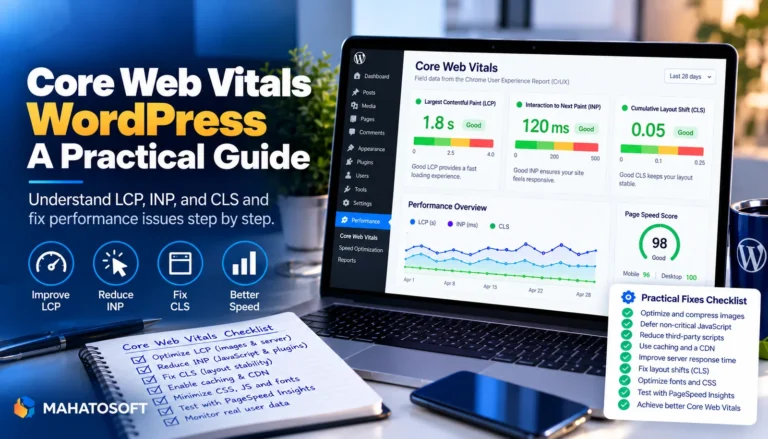
Cumulative Layout Shift is the Core Web Vital that scores how much your page visually jumps around while it loads. A high score usually means visitors tap the wrong button because an ad, image or web font pushed the page down a moment after it looked ready. The fixes below are mostly about reserving space in advance, and most take under an hour on a WordPress site.
Some links in this article are affiliate links. If you buy through them, Mahatosoft may earn a small commission at no extra cost to you.
Google measures CLS as part of Core Web Vitals, alongside Largest Contentful Paint and Interaction to Next Paint, and it factors into the Page Experience signals used in search. Even if you do not care about the ranking angle, a low CLS score simply means a calmer, more trustworthy-feeling site for real visitors. Our wider Core Web Vitals guide for WordPress covers all three metrics if this is the first one you are tackling.
Check your score first
Run your page through PageSpeed Insights. Under “Diagnose performance issues” it lists the exact elements causing layout shift on your page, which saves you from guessing.
What cumulative layout shift actually measures
CLS adds up every unexpected movement of visible elements during the page’s lifespan, not just during initial load. A single big jump and several small ones can both produce a poor score. Google’s published thresholds, from the web.dev Core Web Vitals documentation, are:
| Score | Rating |
|---|---|
| 0.1 or less | Good |
| 0.1 to 0.25 | Needs improvement |
| Above 0.25 | Poor |
The score is measured separately for mobile and desktop, and mobile is usually worse because of slower connections and smaller viewports.
1. Images and videos with no width and height
This is the single biggest cause of cumulative layout shift on ordinary WordPress sites. When an <img> tag has no size attributes, the browser does not know how tall it will be until the file downloads, so everything below it jumps down once it arrives.
WordPress adds width and height automatically to images inserted through the media library, but images pasted as raw HTML, loaded through a theme, or pulled from an external URL often skip it. Always set both attributes, or at minimum use CSS aspect-ratio so the browser can reserve the space before the file loads.
<img src="product.jpg" width="800" height="600" alt="Product photo" loading="lazy">
2. Ads, embeds and iframes with no reserved space
Ad slots and embedded content such as YouTube videos, tweets or forms are the next most common cause, because the final content often loads later and is a different size than the placeholder. Give every ad slot and iframe a fixed width and height, or wrap it in a container with a minimum height that matches the expected size.
If you use an ad network plugin, check its settings for a “reserve space” or “fixed size” option before turning ads on.
3. Web fonts that swap in and change text size
When a custom font loads after the page has already rendered with a fallback font, the new font can be a different width, shifting every line that uses it. This is called a flash of unstyled text (FOUT), and it is a common cause of cumulative layout shift on sites using Google Fonts or a custom typeface.
- Self-host fonts and preload the main one with
<link rel="preload">. - Use
font-display: optionalorswapwith a fallback font stack sized close to the real one. - Limit the number of font weights and styles you load.
4. Content injected above existing content
Cookie banners, “Sign up now” bars and back-in-stock notices that slide in at the top of the page push everything else down when they appear. The fix is to reserve the space before the banner loads, for example with a fixed-height placeholder, or to overlay the banner instead of inserting it into the document flow.
5. Animations that use the wrong CSS properties
Animating top, left, width or height triggers layout recalculation on every frame, which can itself count as layout shift if it moves other content. Prefer transform and opacity for animations, which the browser can run on its own layer without shifting anything else on the page.
Cumulative layout shift causes specific to WordPress
Page builders and themes add their own quirks on top of the general causes above:
- Elementor: widgets that load Google Fonts per-page, and sliders that render before their images finish loading.
- Lazy-loaded galleries: plugins that lazy-load images without a placeholder of the correct aspect ratio.
- Related-posts and comment widgets: these often load after the main content and insert themselves without reserved height.
- Cookie-consent plugins: check whether yours overlays the page or pushes content down; the former is much better for CLS.
How to measure cumulative layout shift after fixing it
PageSpeed Insights and Chrome DevTools’ Performance panel both show a CLS breakdown with the exact elements responsible. For real-world data instead of a lab test, check the Core Web Vitals report in Google Search Console, which uses the Chrome User Experience Report from actual visitors.
Fix the highest-impact element first, retest, and repeat. Most WordPress sites can get their score into the “Good” range by fixing images and fonts alone, without touching ads or third-party embeds.
How layout shift relates to the other Core Web Vitals
Cumulative layout shift, Largest Contentful Paint (LCP) and Interaction to Next Paint (INP) each measure a different kind of frustration: LCP is how long the main content takes to appear, INP is how sluggish the page feels to tap or click, and CLS is how much it moves while you are trying to read it. They often share root causes. A page loading a huge hero image late, for example, can hurt both LCP and layout stability at once, so fixing one frequently improves the other. Our guide to improving LCP in WordPress covers the loading-speed side of the same problem.
Because the three metrics interact, retest all of them after a round of fixes rather than chasing one score in isolation. A change that removes a layout jump can sometimes shift when content becomes visible, which shows up in the LCP number instead.
Want us to handle it?
Our Core Web Vitals work, including cumulative layout shift, starts at $150 and takes 3 to 6 days, with a before-and-after measurement so you can see the difference. Get a speed check.
Cumulative layout shift: quick answers
What is a good cumulative layout shift score?
Google rates 0.1 or lower as good, 0.1 to 0.25 as needs improvement, and anything above 0.25 as poor. Aim for under 0.1 on both mobile and desktop.
Why does my cumulative layout shift score differ between PageSpeed Insights and Search Console?
PageSpeed Insights runs a single lab test on a simulated connection. Search Console’s Core Web Vitals report uses real visitor data collected over 28 days, which better reflects your actual audience and traffic mix.
Do ads always cause a poor layout shift score?
Not if the ad slot has a fixed size reserved before the ad loads. The shift comes from the space changing size after the page has already rendered, not from having ads at all.
Can a caching plugin fix cumulative layout shift?
Caching speeds up delivery but does not fix layout shift on its own, since it is caused by missing dimensions, not by slow loading. You still need to add width, height and reserved space to the specific elements causing the movement.
Does mobile always score worse for cumulative layout shift than desktop?
Usually, because mobile connections are often slower and screens are narrower, so late-loading elements like ads and banners take up a larger share of the visible area. Test and fix both separately in PageSpeed Insights.