
If you have noticed your emails going to spam, the cause is almost never the wording of one message. In most cases the receiving server cannot prove the mail really came from you, or your domain has built up a bad sending history. Both can be checked in about ten minutes and fixed the same day.
This guide covers the nine causes of emails going to spam that we see most often when fixing email deliverability for small businesses and WordPress sites. They are in rough order of how often each one turns out to be the problem. Work down the list and stop when you find yours.
Start with a two-minute check
Put your domain into our free SPF, DKIM and DMARC checker. It reads your live DNS records and flags the faults behind most spam-folder problems: a missing record, two SPF records, or a DMARC policy that does nothing. Nothing is stored.
First, see what the receiving server thinks
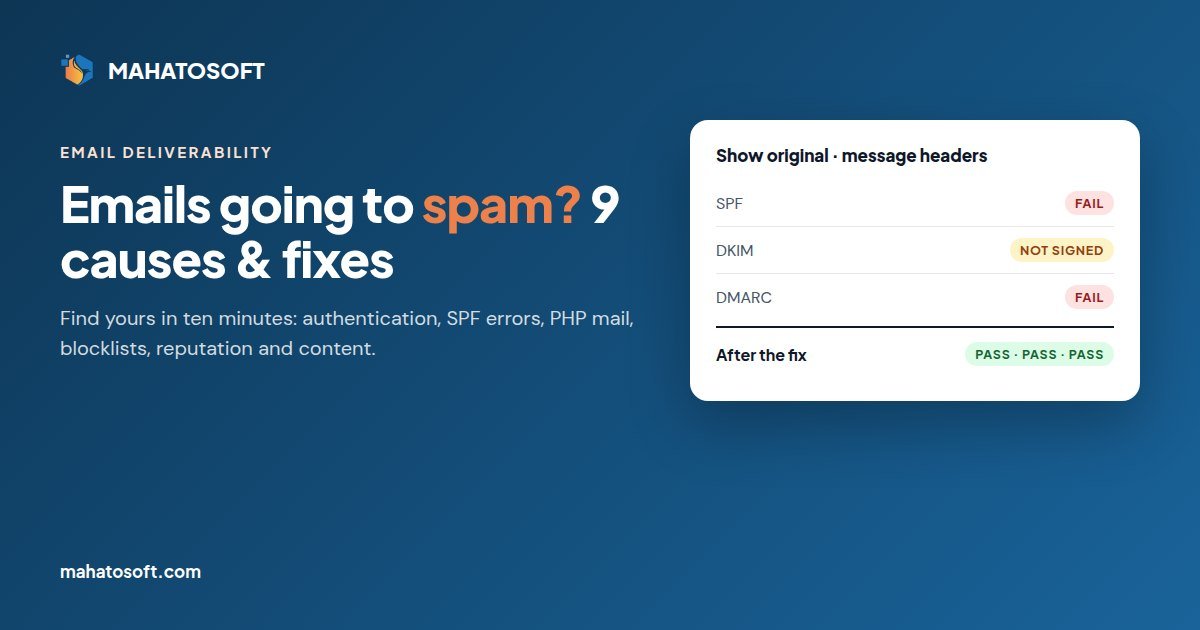
Before changing anything, send an email from your normal account to a Gmail address you control. Open it, click the three dots next to Reply, and choose Show original. Gmail shows three lines at the top: SPF, DKIM and DMARC, each marked PASS, FAIL or missing.
- Any of the three fails or is missing: this is an authentication problem. Causes 1 to 4 below.
- All three pass but mail still lands in spam: this is a reputation or content problem. Causes 5 to 9.
For a second opinion, mail-tester.com gives you a one-off address to send to and returns a score out of 10 with each problem listed.
1. SPF, DKIM or DMARC is missing
This is still the most common reason for emails going to spam. The three records do different jobs:
| Record | What it tells the receiver |
|---|---|
| SPF | Which servers are allowed to send mail for your domain. |
| DKIM | A signature proving the message was not changed after it left you. |
| DMARC | What to do when SPF and DKIM fail, and where to send reports. |
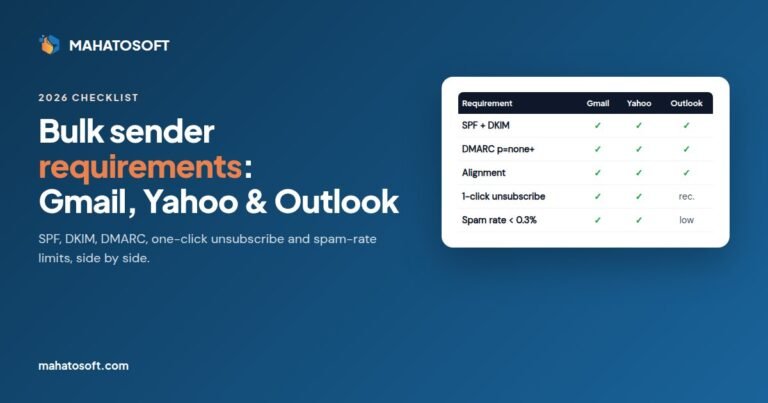
Gmail now requires every sender to have at least SPF or DKIM. Anyone sending around 5,000 or more messages a day to Gmail needs all three. Outlook.com and Yahoo have similar rules. Our bulk sender requirements checklist covers the details. For small senders the practical answer is the same: publish all three.
Our step-by-step guides cover 28 registrar and mail provider pairs. Each one shows the exact DNS screen and values for your setup.
2. Two SPF records, or an SPF record that is too long
A domain may have only one SPF record. When people add a new service, such as a newsletter tool or a helpdesk, they often paste its SPF record next to the old one. With two records, SPF fails for everything. That is worse than having no SPF record at all.
The fix is to merge them into one line:
v=spf1 include:_spf.google.com include:servers.mcsv.net ~all
The second trap is the 10-lookup limit. Each include: can trigger further DNS lookups. Once the total goes above 10, SPF returns a permanent error. The SPF standard (RFC 7208) sets this limit. If you use many services, remove includes you no longer need, and let DKIM do the heavy lifting for the rest.
3. DKIM was set up but never switched on
With Google Workspace, Microsoft 365 and Zoho Mail you publish the DKIM record in DNS, then go back into the admin console and click Start authentication or Enable. Many people skip the second step. The record exists, but no mail is signed, so DKIM shows as missing in the message headers.
Check the header again after enabling it. If DKIM now passes, you are done with this one. Provider instructions: Google Workspace, Microsoft 365, Zoho Mail.
4. Your website sends mail with PHP instead of real SMTP
This one is behind most “WordPress emails going to spam” problems. By default, WordPress, WooCommerce and contact form plugins send through the web server’s PHP mail function. That mail comes from your hosting server, not from Google Workspace or Microsoft 365. Your SPF record does not list the hosting server, and nothing signs it with DKIM, so it fails authentication.
The fix is an SMTP plugin, such as WP Mail SMTP or FluentSMTP, connected to your real mail provider or to a transactional service like Brevo, Postmark or Amazon SES. Then set the “From” address to an address on your own domain. After that, order emails, password resets and form notifications pass SPF and DKIM like the rest of your mail.
5. Your domain or server IP is on a blocklist
If a server you send from has been used for spam, including by a previous customer on a shared host, receivers may reject or filter everything from it. Check your domain and your sending IP at Spamhaus and MXToolbox.
Each blocklist has its own removal form. Fix the cause first, such as a hacked contact form or a compromised mailbox. If you do not, you will be listed again within days.
6. The domain is new, or you suddenly sent much more
Mailbox providers trust domains with a history. A domain registered last month that sends 2,000 emails on its first day looks exactly like a spammer. The same is true of an old domain that normally sends 50 emails a week and suddenly sends a campaign to the whole list.
Warm up gradually. Start with the people most likely to open and reply, and increase volume over two to four weeks. Replies and “not spam” clicks are the strongest positive signals you can get.
7. Too many people mark your mail as spam
Gmail asks senders to keep their reported spam rate below 0.3%, and recommends staying under 0.1%. That is one complaint per 1,000 messages. You can see your own rate for free in Google Postmaster Tools once you verify your domain.
The usual causes are bought or old lists, people who do not remember signing up, and sending more often than you promised. Only email people who asked to hear from you. Remove addresses that have not opened anything in six months.
8. No easy way to unsubscribe
If people cannot find the unsubscribe link, they press the spam button instead, and that hurts you far more. Since June 2024 Gmail and Yahoo require marketing and subscribed mail from bulk senders to support one-click unsubscribe (the List-Unsubscribe header, RFC 8058). Unsubscribe requests must be honored within two days.
Mailchimp, Brevo, MailerLite and similar tools add this automatically. If you send newsletters from your own server or a plugin, check that the header is there.
9. The message itself looks like spam
Content matters less than most people think, but it still counts once everything else is fine. The patterns that cause trouble:
- Link shorteners such as bit.ly, and links to domains with a poor reputation.
- A single large image with almost no text.
- A “From” name or subject line that does not match what the email is about.
- Attachments from people who have never emailed you, especially .zip or macro-enabled files.
- Broken HTML pasted from a word processor.
Plain, useful emails with a real reply-to address and a few links to your own domain rarely have content problems.
A special case: mail that is forwarded
When someone forwards your email automatically, for example from an old address to Gmail, the forwarding server resends it. SPF then fails, because that server is not in your SPF record. DKIM usually survives forwarding, which is why DMARC only needs one of the two to pass. This is another reason to make sure DKIM is signing every message.
The order we fix things in
- Check your records with the SPF checker and the Gmail “Show original” view.
- Merge SPF into one record under 10 lookups, enable DKIM, and publish DMARC at
p=nonewith a report address. - Move website mail onto authenticated SMTP.
- Check blocklists and Google Postmaster Tools.
- Clean the list, add one-click unsubscribe, and warm up slowly.
- After two to four weeks of clean DMARC reports, move the policy to
p=quarantine, thenp=reject.
Rather have it done for you?
We set up SPF, DKIM and DMARC correctly for any registrar and mail provider for $49 flat, usually the same day. We merge your existing records instead of replacing them and send you a passing test as proof. Get it fixed. If we cannot fix it, you pay nothing.
Emails going to spam: quick answers
Why are my emails going to spam when I send to Gmail only?
Gmail is the strictest of the big providers about authentication and spam complaints. If Outlook delivers you but Gmail does not, check the Gmail “Show original” view first, then your spam rate in Google Postmaster Tools.
Why are my emails going to spam suddenly when nothing changed?
Usually something did change: a new service added a second SPF record, a DKIM key was rotated, a hosting move changed the sending server, or your domain landed on a blocklist. Run the checker and compare it with what you had before.
Will a paid email service stop my emails going to spam?
It helps, because providers like Google Workspace and Microsoft 365 send from well-trusted servers. But you still have to publish your own SPF, DKIM and DMARC records. Without them, even Google Workspace mail can land in spam.
How long does it take to get out of the spam folder?
Authentication fixes work as soon as DNS updates, usually within an hour. Reputation takes longer: expect two to six weeks of steady, wanted email before placement fully recovers.