


Once you publish a DMARC record with a rua= address, reports start arriving within a day or two, as zipped XML files that look unreadable. This guide shows how to read a DMARC report line by line, using a real-shaped example. It also covers what each result means and what to do about it.
Some links in this article are affiliate links. If you buy through them, Mahatosoft may earn a small commission at no extra cost to you.
You do not need to read every report forever. You need to read them properly for the first few weeks. That is how you find every service sending as your domain before you switch DMARC to quarantine or reject.
No reports arriving?
Check that your DMARC record exists and has a
rua=mailto:address. Our free record checker shows your live DMARC record and flags a missing report address. Reports are sent once a day, so allow 24 to 48 hours.
The two kinds of DMARC report
| Type | Tag | What you get |
|---|---|---|
| Aggregate | rua= | A daily XML summary from each mailbox provider: which IPs sent mail as your domain, how many messages, and whether SPF, DKIM and DMARC passed. No message content. |
| Failure (forensic) | ruf= | A copy or partial copy of individual messages that failed. Gmail and most large providers do not send these for privacy reasons. |
In practice, “DMARC report” means the aggregate report. That is what the rest of this guide covers. The format is defined in the DMARC standard, RFC 7489.
A DMARC report example
Here is a trimmed aggregate report. The domain and IPs are documentation examples, not real senders. Your file has the same structure, usually with more <record> blocks.
<feedback>
  <report_metadata>
    <org_name>google.com</org_name>
    <email>noreply-dmarc-support@google.com</email>
    <report_id>1234567890123456789</report_id>
    <date_range>
      <begin>1758585600</begin>
      <end>1758671999</end>
    </date_range>
  </report_metadata>
  <policy_published>
    <domain>example.com</domain>
    <adkim>r</adkim>
    <aspf>r</aspf>
    <p>none</p>
    <pct>100</pct>
  </policy_published>
  <record>
    <row>
      <source_ip>192.0.2.10</source_ip>
      <count>412</count>
      <policy_evaluated>
        <disposition>none</disposition>
        <dkim>pass</dkim>
        <spf>pass</spf>
      </policy_evaluated>
    </row>
    <identifiers>
      <header_from>example.com</header_from>
    </identifiers>
    <auth_results>
      <dkim>
        <domain>example.com</domain>
        <selector>google</selector>
        <result>pass</result>
      </dkim>
      <spf>
        <domain>example.com</domain>
        <result>pass</result>
      </spf>
    </auth_results>
  </record>
  <record>
    <row>
      <source_ip>203.0.113.45</source_ip>
      <count>37</count>
      <policy_evaluated>
        <disposition>none</disposition>
        <dkim>fail</dkim>
        <spf>fail</spf>
      </policy_evaluated>
    </row>
    <identifiers>
      <header_from>example.com</header_from>
    </identifiers>
    <auth_results>
      <spf>
        <domain>server12.webhost.example</domain>
        <result>pass</result>
      </spf>
    </auth_results>
  </record>
</feedback>
Part 1: report_metadata (who sent the report)
- org_name is the mailbox provider that wrote the report, here Google. You get a separate report from each provider: Google, Microsoft, Yahoo, and others.
- date_range is the period covered, as Unix timestamps. Usually one day in UTC. Any online “epoch converter” turns them into dates.
- report_id is only useful if you need to contact the provider about a specific report.
Part 2: policy_published (what your DMARC record said)
This is the provider repeating back the DMARC record it found for your domain:
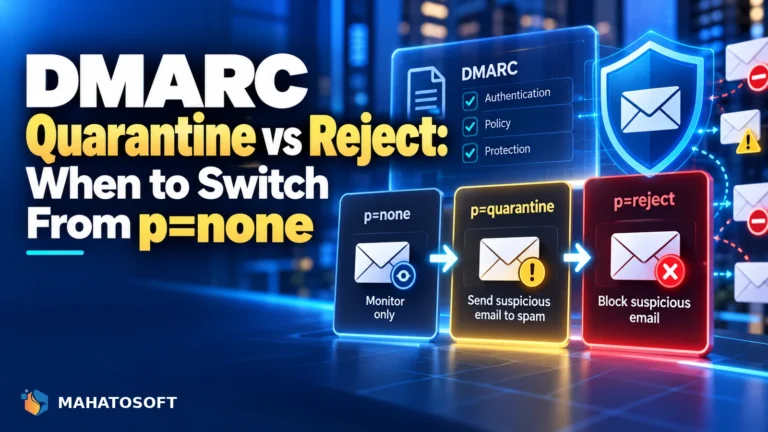
- p is your policy:
none(monitor only),quarantine(send failures to spam) orreject(block failures). - adkim and aspf are the alignment modes.
r(relaxed) lets a subdomain likemail.example.comcount as aligned withexample.com.s(strict) requires an exact match. - pct is the percentage of failing mail the policy applies to.
If this block does not match the record you think you published, you are looking at an old record or a typo. Check it with the record checker.
Part 3: each record (one sending source)
Each <record> block is one sending IP, with the results for all the mail it sent in the period. This is the part that matters.
row: the summary
- source_ip is the server that sent the mail. Look it up (a reverse DNS or WHOIS lookup) to see who owns it: Google, Microsoft, your web host, your newsletter tool, or someone you do not recognise.
- count is how many messages that IP sent as your domain.
- policy_evaluated is the final DMARC result.
dkimandspfhere mean “passed and aligned”.dispositionis what the provider did:none,quarantineorreject.
identifiers: the visible From domain
header_from is the domain in the From address your recipients see. DMARC always checks against this domain.
auth_results: the raw SPF and DKIM checks
This shows which domain SPF and DKIM actually checked, before alignment. It explains why policy_evaluated says pass or fail.
Why SPF “pass” can still be a DMARC fail
Look at the second record in the example. In auth_results, SPF says pass. In policy_evaluated, SPF says fail. This is the part of DMARC reports that confuses nearly everyone.
SPF passed for server12.webhost.example, the hosting server’s own domain. But the From address said example.com. Those do not match, so SPF is not aligned, and DMARC counts it as a fail. There was no DKIM signature at all. So these 37 messages failed DMARC.
| auth_results | Aligned with From? | Counts for DMARC? |
|---|---|---|
| SPF pass for example.com | Yes | Pass |
| SPF pass for another domain | No | Fail |
| DKIM pass, d=example.com | Yes | Pass |
| DKIM pass, d=sendgrid.net or similar | No | Fail |
DMARC passes when at least one of SPF or DKIM passes and is aligned. In the example, record one is fine. Record two is almost certainly a WordPress site or contact form sending through the web host’s PHP mail. That is a very common pattern. Our post on why emails go to spam explains how to fix it with an SMTP plugin.
What to do with each source
| What you see | What it means | Action |
|---|---|---|
| Your mail provider’s IPs, DKIM and SPF aligned | Your normal mail, working | Nothing |
| A service you use (newsletter, CRM, helpdesk), DMARC fail | Legitimate but not authenticated | Set up DKIM with your domain in that service, or add its include to SPF |
| Your web host’s IP, SPF pass for the host only | Website mail through PHP | Send through authenticated SMTP instead |
| Forwarding servers (universities, old ISPs), SPF fail, DKIM pass | Forwarded mail | Nothing; DKIM carries it |
| Unknown IPs in other countries, everything fails | Someone spoofing your domain | This is what quarantine and reject are for |
When to move from p=none to reject
- Weeks 1 to 2 at
p=none: read every report and list every legitimate source. - Fix each legitimate source until its mail passes DMARC.
- Move to
p=quarantineonce almost all legitimate mail passes. Some teams usepct=25first, then raise it. - Move to
p=rejectafter two to four more weeks of clean reports.
Moving to reject before you have found every sender is how invoices and password resets quietly go missing. Take the time at p=none.
Free tools that read the XML for you
Reading raw XML is fine for learning. After that, let a tool do it. Postmark’s free DMARC monitoring sends you a weekly plain-English summary. You point your rua= address at them and they do the parsing. Other services offer similar free tiers.
Tip: use a separate mailbox or alias for reports, such as dmarc@yourdomain.com. Large senders can get dozens of reports a day.
Want us to read them for you?
We set up SPF, DKIM and DMARC for $49 flat, including a report address and a check of your first reports, so every legitimate sender is authenticated before you enforce. Get it done. If we cannot fix it, you pay nothing.
How to read a DMARC report: quick answers
How do I open a DMARC report file?
Reports arrive as .zip or .gz attachments. Extract them and open the .xml file in any browser or text editor. The browser view usually indents it so the structure is easier to follow.
Why do I get DMARC reports from companies I have never used?
Reports come from the receiving side. If your mail reached someone at a company that sends DMARC reports, you get a report from them. That is normal and useful.
Is a DMARC failure in my report an attack?
Usually not at first. Most failures in the first weeks are your own services that are not set up yet. Unknown IPs that fail everything and keep appearing are more likely spoofing.
Where do I set up DMARC for my domain?
In your DNS, as a TXT record at _dmarc.yourdomain.com. Our setup guides show exactly where for Namecheap, GoDaddy, Hostinger, Cloudflare, Bluehost, SiteGround and HostGator.

Discussion
Join the conversation
No comments yet. Share a question or what worked for you.