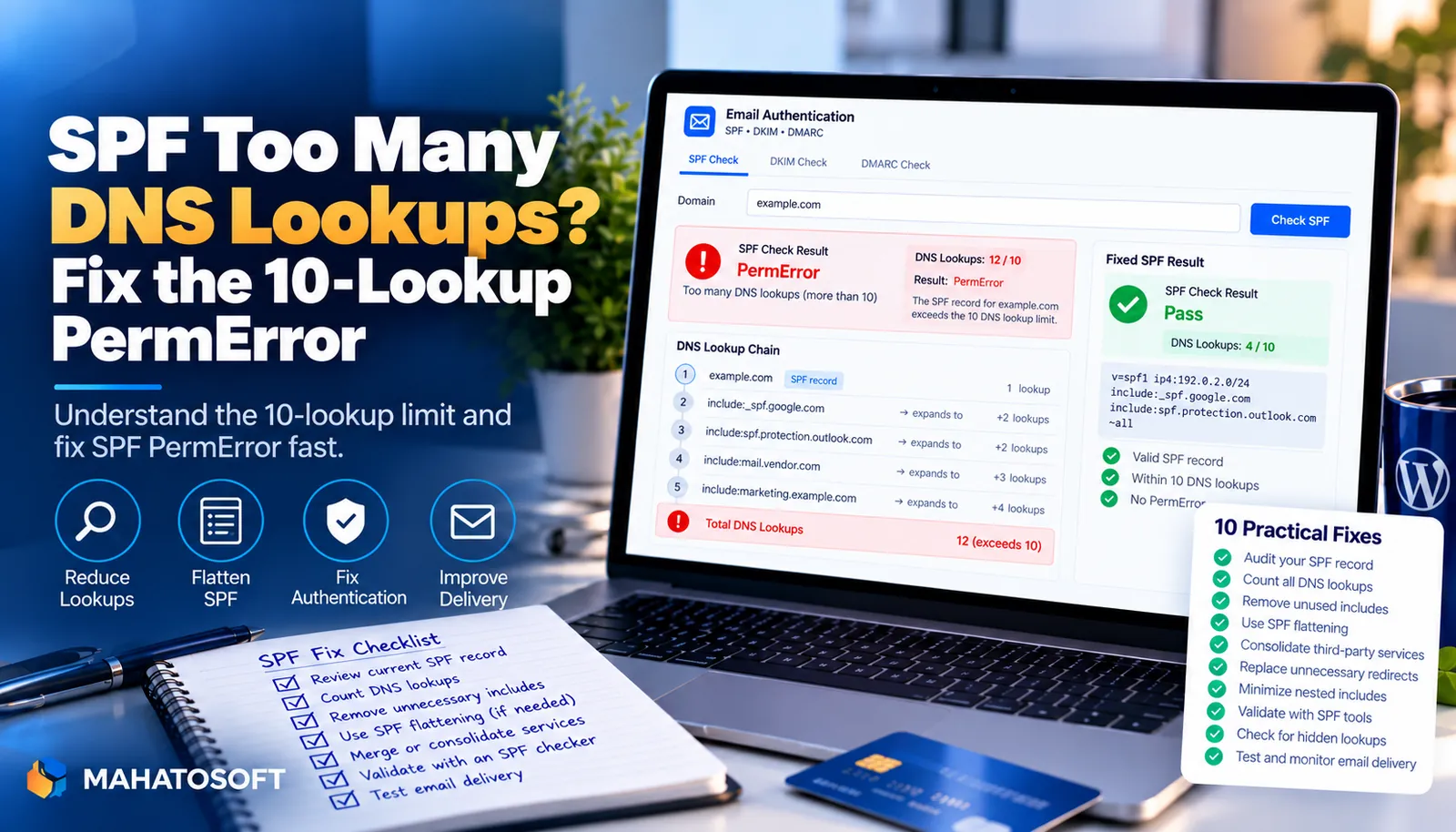
An SPF PermError for too many DNS lookups means the receiving mail server gave up checking your SPF record and treated it as a fail. Spf too many dns lookups is one of the most common authentication faults we see, and unlike most DNS problems it gets worse on its own as you add services. It is fixable in about fifteen minutes once you know which lookups to cut.
SPF records do not just list servers directly. Many use include: mechanisms that point to another domain’s SPF record, and that record can point to another one again. Each hop counts, and the SPF standard (RFC 7208) caps the total at 10. Go over that limit and every message from your domain can fail SPF, even from servers you listed correctly.
Check your lookup count first
Put your domain into our free SPF, DKIM and DMARC checker. It reads your live record, counts every lookup it triggers, and tells you straight away if you are over the limit or close to it.
What an SPF PermError actually means
SPF PermError is short for “permanent error,” and it is different from a normal SPF fail. A fail means a server sent your mail that is not in your record. A PermError means the receiving server could not even finish evaluating your record, usually because it needed more than 10 DNS lookups to do it.
Once a domain hits PermError, most receivers treat the result the same way they treat a hard fail. Gmail, Microsoft 365 and other major providers will not try to work around a broken record, so mail that would otherwise pass authentication gets rejected or pushed to spam.
Which SPF mechanisms trigger a DNS lookup
Not every part of an SPF record costs a lookup. Knowing which ones do is the first step to cutting your total.
| Mechanism | Counts as a lookup? | Notes |
|---|---|---|
include: | Yes | Also counts every lookup inside the included record |
a | Yes | One lookup per use, more if it resolves to several IPs |
mx | Yes | One lookup for the MX records, plus one per MX host returned |
exists: | Yes | Rarely used outside specialised setups |
redirect= | Yes | Replaces the rest of the record with the target’s |
ip4: / ip6: | No | Direct IP addresses, free to add |
all | No | The final catch-all qualifier |
A single include: for a large provider can quietly use two or three lookups on its own, because their record includes others underneath it. This is why a record with only four or five include: lines can still fail with spf too many dns lookups.
How to count your current lookups
You can work it out by hand: open your SPF record, then look up every domain named in an include:, a or mx mechanism, and repeat for anything nested inside those. It is slow and easy to miscount. Our checker does this automatically and lists each mechanism with its lookup cost, which is the quickest way to see exactly where your total is going.
Fix 1: Remove services you no longer use
Old SPF entries are the single biggest cause of spf too many dns lookups. A marketing tool you cancelled two years ago, a helpdesk you trialled once, an old hosting provider — each left an include: behind that nobody removed. Go through your record line by line and ask whether you still send mail through that service today. If not, delete it.
Fix 2: Replace a and mx with direct IPs where possible
a and mx mechanisms resolve at lookup time, so a receiving server has to do the DNS work itself every time it checks your mail. If the IP addresses behind them rarely change, replace the mechanism with the actual ip4: or ip6: value instead. That mechanism becomes free, and your record gets more stable as a side effect.
Fix 3: Let one provider cover several services
If you send through Google Workspace, Microsoft 365 or a large ESP, check whether other tools you use already route mail through that same provider rather than sending directly. Consolidating onto fewer distinct sending services often removes two or three include: lines without losing any functionality.
Fix 4: Let DKIM carry more of the weight
SPF is not the only authentication method, and it is the one most limited by DNS lookups. DKIM signatures are not subject to the 10-lookup rule at all. For services you cannot drop but rarely send high volumes through, make sure DKIM is correctly signing their mail so that DMARC still passes even if that one SPF include is trimmed away.
Fix 5: Consider SPF flattening, carefully
Some tools “flatten” a record by resolving every include down to a fixed list of IP addresses, so the lookup count drops to near zero. This works, but it comes with a catch: if the underlying provider changes its sending IPs and you have not refreshed the flattened list, your SPF record goes stale and starts rejecting legitimate mail. Only use flattening if you can keep it updated, or use a service that updates it automatically.
Test the fix before you trust it
After editing your record, wait for DNS to propagate, then run it back through the checker. Send yourself a test email and check the authentication headers, or use mail-tester.com for a full score. Confirm the lookup count is comfortably under 10, not just barely under it, since one more service added later can tip you over again and bring back spf too many dns lookups with no other change on your side.
If you run several SPF records across subdomains or a large newsletter operation, our guide on reading a DMARC report shows how to spot authentication failures from real traffic, not just a one-off test.
Rather have it fixed for you?
We merge and trim SPF records, fix the 10-lookup limit, and set up SPF, DKIM and DMARC correctly for $49 flat, usually the same day. Get it fixed — we send you a passing test as proof.
SPF too many DNS lookups: quick answers
Why does spf too many dns lookups happen if my record looks short?
Length does not matter, only the number of lookup-triggering mechanisms and what they point to. A short record with three include: lines for large providers can easily hide 10 or more nested lookups.
Does spf too many dns lookups affect DKIM too?
No. DKIM works through cryptographic signatures published as a DNS record, and it is not limited by the SPF 10-lookup rule. This is exactly why keeping DKIM correctly configured matters when you cannot avoid a heavy SPF include.
Can I just add more lookups if I need more services?
Not safely. Once you are over 10, receivers stop evaluating the record and treat it as a PermError. You have to stay under the limit permanently, which usually means removing old includes as you add new ones rather than only adding.
How do I know my fix actually worked?
Recheck the record with our SPF checker, confirm the lookup count, then send a real test email and look at the authentication results in the headers. A pass on both is the only reliable confirmation.