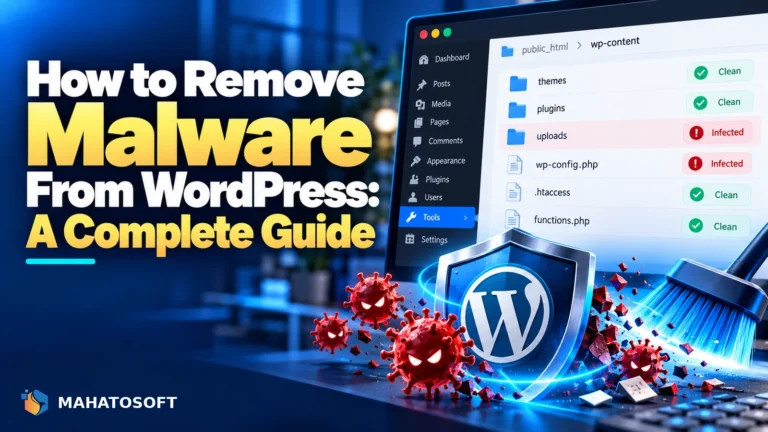
A Japanese keyword hack fills your site with pages of Japanese text advertising counterfeit goods, hidden links, or fake designer brands, usually invisible when you browse the site normally. Google finds these pages through search and indexes them under your domain, which is often how site owners first discover the hack. Cleaning it up takes more than deleting a few pages; this guide covers the full process.
This attack has been common for years because it is effective: the spam pages rank in Google search results, especially in Japanese-language search, and the attacker profits from affiliate links or malware distribution while your domain’s reputation absorbs the damage.
Check what Google has actually indexed
Search
site:yourdomain.comin Google, and separately searchsite:yourdomain.com あいつor a similar common Japanese word. If unfamiliar pages with Japanese text show up that you never created, you have a Japanese keyword hack.
Signs of a Japanese keyword hack
- A
site:search in Google shows pages or a huge number of extra indexed URLs you never created. - Google Search Console shows a spike in “Discovered” or “Indexed” pages far above your actual page count.
- Search Console flags a Security Issues warning for hacked content.
- Search results for your domain show snippets in Japanese, even though your site is not in Japanese.
- New, unfamiliar files appear in your theme or plugin folders, or new posts exist that nobody on your team wrote.
How the Japanese keyword hack actually works
Attackers exploit an outdated plugin, theme or WordPress core vulnerability, or a stolen admin password, to plant a script that generates spam pages on demand. These pages often exist only as far as search engine crawlers and the URLs Google has indexed are concerned; visiting them directly as a normal user sometimes shows a 404 or redirects elsewhere, which is part of why the hack goes unnoticed by the site owner for so long.
The malicious code typically lives in one or more of these places, similar to other WordPress hacks, but with its own generated-content twist:
| Location | What to look for |
|---|---|
New or modified files in wp-content/uploads |
PHP files disguised with image-like names, which should never contain executable code |
Theme functions.php |
Code that generates pages dynamically or writes new posts programmatically |
wp_posts database table |
Hundreds or thousands of unfamiliar posts, often with garbled or Japanese titles |
| mu-plugins folder | A hidden file here loads on every request regardless of which plugins are active |
| .htaccess | Rewrite rules that generate fake URLs for search engine crawlers specifically |
Step-by-step clean-up
- Take the site offline or into maintenance mode while you work, and back up everything first, infected state included, so you have something to compare against.
- Compare WordPress core files against a clean download of the same version from wordpress.org, and remove anything extra or altered in
wp-adminandwp-includes. - Search the database for unfamiliar posts. In phpMyAdmin, sort
wp_postsby date and scan for a burst of posts created around the same time you did not write, and delete them. - Check every theme and plugin file for
eval(,base64_decode,gzinflateand similar obfuscation functions, which are the usual way this kind of malware hides its payload. - Remove unfamiliar admin users under Users, since a second hidden admin account is a common backdoor left behind.
- Delete unused plugins and themes entirely rather than just deactivating them, since inactive code can still be exploited if it remains on the server.
Our fuller guide on how to remove malware from WordPress walks through the database and file-scanning steps in more depth if you want the complete process.
After the clean-up: telling Google it is gone
Removing the code is not the last step, because Google has already indexed the spam pages and will keep showing them until it recrawls and confirms they are gone.
- In Search Console, use the Removals tool to request temporary removal of the worst offending URLs while the permanent fix propagates.
- If Search Console shows a Security Issues warning, fix everything first, then click Request a Review and describe what you found and fixed.
- Submit your XML sitemap again so Google recrawls your real pages and drops the fake ones from its index over the following weeks.
Google’s own guidance on this exact problem, hacked content in search results, is worth reading alongside your review request.
Why this hack is worse for SEO than most others
Many WordPress hacks are annoying but contained: a redirect, a defaced homepage, a warning banner. A Japanese keyword hack is different because it deliberately generates a large volume of new URLs, sometimes thousands, all attributed to your domain in Google’s index. Even after you delete the pages, Google needs time to recrawl and confirm each one is genuinely gone, which is why recovery takes longer than a typical malware clean-up.
It also tends to recur if the clean-up is incomplete, because the script that generates the spam pages often rebuilds itself from a small hidden file rather than needing thousands of individual files planted on the server. Missing that one file is the most common reason people report the hack “coming back” days after they thought it was fixed.
Locking the site down afterward
Update WordPress core, every theme and every plugin to their latest versions immediately, since an outdated component is the most common entry point for this attack. Change every password connected to the site: WordPress admin, database, and hosting or SFTP access. Regenerate your WordPress security keys, which instantly logs out any session the attacker may still hold.
Add a security plugin that scans for file changes on a schedule, so a reinfection is caught in days rather than months. Two-factor authentication on every admin account closes off the stolen-password route specifically.
Rather have it fixed for you?
We clean Japanese keyword hacks and other WordPress malware from $120, with an emergency lane on WhatsApp (+880 1722 859059) for sites actively serving spam content. Get it cleaned up, and consider our maintenance plan to catch the next one early.
Japanese keyword hack: quick answers
Why did I not notice the Japanese keyword hack sooner?
Because the spam pages are often built specifically for search engine crawlers and are invisible or missing entirely when a normal visitor loads the same URL directly. Most site owners find out through a Google site: search or a Search Console alert, not by browsing their own site.
Will Google penalize my whole site for a Japanese keyword hack?
It can flag your site with a Security Issues warning and show a browser warning to visitors, and legitimate pages may temporarily rank worse while the issue is unresolved. Requesting a review after a genuine clean-up typically restores normal indexing.
How long does it take for the spam pages to disappear from Google?
Once removed from your site and requested for removal in Search Console, most fake pages drop out of the index within days to a few weeks as Google recrawls and confirms they are gone.
Can a security plugin alone prevent a Japanese keyword hack?
A good security plugin catches most known malware signatures and file changes, which prevents the majority of cases, but keeping WordPress core, themes and plugins updated is still the more fundamental defence, since outdated software is the entry point in most infections.