When your wordpress site hacked shows itself through strange redirects, a Google warning or content you never wrote, the first hour matters more than any other. What you do now decides whether this is a quick clean-up or a much longer recovery. This guide walks through exactly what to do, in order, before you touch anything else.
Most hacks are automated. A bot found a weak password or an unpatched plugin, and it is not personally interested in you — it wants to send spam, host phishing pages, or mine search rankings through hidden links. That is good news: the fix is usually mechanical, not a mystery to solve.
Do not delete anything yet
It is tempting to start deleting suspicious files immediately. Resist it. You need to know how the attacker got in before you clean up, or they will simply come back through the same hole within days.
How to tell your WordPress site is actually hacked
A wordpress site hacked incident rarely announces itself clearly. It usually shows up as one small, odd detail before anything more obvious appears.
Before reacting, confirm what you are dealing with. Common signs include:
- A “Deceptive site ahead” or “This site may be hacked” warning in Google or Chrome.
- Unexpected redirects to spam, gambling or pharmacy sites, sometimes only for visitors coming from search results.
- New admin users you did not create, listed under Users in wp-admin.
- Unfamiliar plugins or a file manager plugin you never installed.
- Your host suspending the account or emailing you about malware, spam email volume or resource abuse.
- Search results showing Japanese, Chinese or Russian text for pages that do not exist on your site.
If you see resource exhaustion messages such as an error establishing a database connection that appeared with no warning, that alone is not proof of a hack, but it is worth ruling out once you have dealt with the more obvious signs above.
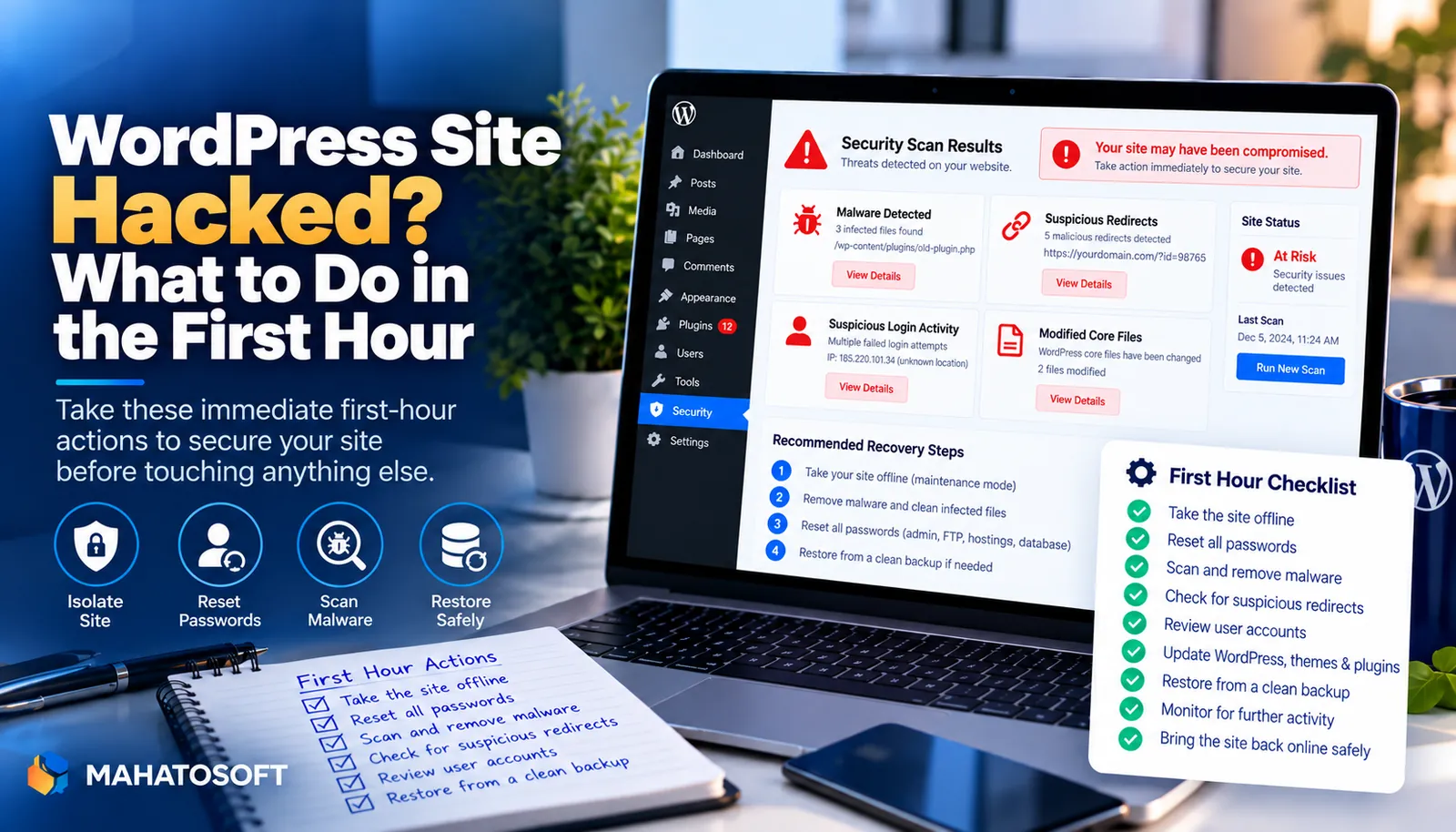
The first hour, step by step
| Step | Why it comes first |
|---|---|
| 1. Put the site in maintenance mode or take it offline | Stops it serving malicious content to visitors and search engines while you work |
| 2. Change every password: WordPress admin, hosting, FTP/SFTP, database | Closes the door the attacker may still be using |
| 3. Check for new admin users and unknown plugins | The fastest way attackers keep access after the original hole is patched |
| 4. Note the exact date things changed, if you can find it | Narrows down which backup is clean |
| 5. Take a fresh backup of the hacked state | Preserves evidence before you start removing anything |
Step 1: take the site offline safely
Do not simply delete the WordPress install. Instead, use your host’s maintenance mode, or rename the root folder temporarily if your host allows it, so you keep every file available to investigate. If your site is on shared hosting and other sites share the account, mention this to your host immediately, since one hacked site can sometimes affect others on the same server.
Step 2: change every password, not just wp-admin
Change the WordPress admin password, then the hosting control panel password, FTP/SFTP credentials, and the database user password in the same session. If the attacker has any one of these, changing only the WordPress password leaves them a way back in. Use a different strong password for each, generated by a password manager rather than reused across accounts.
Step 3: check for hidden admin accounts and plugins
Go to Users → All Users and look for any account with the Administrator role that you do not recognise, including ones with names close to your real usernames. Delete them, but reassign or check their content first. Then check Plugins → Installed Plugins for anything you did not install, especially file manager, code editor or “SEO” plugins with generic names.
Step 4: work out how they got in
Common entry points, roughly in order of how often we see them:
- A weak or reused admin password, found through brute force.
- An outdated plugin or theme with a known, published vulnerability.
- A nulled or pirated premium plugin with malware built in.
- Stolen FTP credentials from an infected computer.
- File permissions set too loosely, letting one compromised site on shared hosting write to another.
Checking your host’s access logs and file modification times around the date things changed usually points to one of these. This step matters: cleaning malware without fixing the entry point means the same hack returns.
Step 5: remove the malware
Cleaning up a wordpress site hacked incident properly means starting from trusted copies of everything, not patching around the infection. The safest clean-up replaces WordPress core, your theme and every plugin with fresh copies from WordPress.org or the original vendor, then keeps only your uploads folder and database, checked carefully for injected content. A security plugin’s scanner can find known malware signatures, but a manual review of recently modified files is the only way to catch anything custom, including any file with a recent modification date that you cannot explain.
Step 6: restore from a clean backup if you have one
A wordpress site hacked incident is sometimes faster to resolve by restoring than by cleaning file by file. If you have a backup from before the hack started, and you know the entry point has been closed, restoring it is often faster and safer. Check the backup itself for infection before restoring it, since some malware sits dormant for weeks before activating.
Step 7: harden the site before bringing it back
- Update WordPress core, every plugin and your theme to their latest versions.
- Remove any plugin or theme you are not actively using.
- Add two-factor authentication for all admin accounts.
- Install a security plugin such as Wordfence or Sucuri for ongoing scanning.
- Set correct file permissions, generally 644 for files and 755 for folders.
The WordPress handbook’s hardening guide covers more advanced steps, such as disabling file editing from wp-admin and restricting PHP execution in the uploads folder, both worth doing once a wordpress site hacked incident has happened once.
After the site is clean: what still needs doing
Once your wordpress site hacked incident is cleaned up, ask Google to review your site if it was flagged in Search Console, under Security Issues. Recovery of your search rankings can take days to a few weeks after the review passes. If customer data such as passwords or payment details may have been exposed, check whether local law requires you to notify affected users; this is a legal question worth getting right rather than guessing.
Need it handled right now?
We clean hacked WordPress sites from $120, and we have an emergency lane on WhatsApp (+880 1722 859059) for sites that are actively serving malware or locked out. Get help now, or ask about our ongoing maintenance plan to stop it happening again.
WordPress site hacked: quick answers
My WordPress site is hacked — will I lose my content?
Almost never. Attackers add malicious files or code rather than deleting your posts and pages. The main risk to your content comes from panicking and deleting things yourself before you understand what changed.
How long does it take to clean a hacked WordPress site?
A straightforward case with a recent clean backup can be sorted in a few hours. A deeper infection with no reliable backup, spread across many files, can take a day or two to clean thoroughly and confirm.
Will my WordPress site get hacked again after cleaning?
Only if the original entry point is not fixed. Cleaning the malware without updating the vulnerable plugin, changing the stolen password, or removing the backdoor file it leaves behind almost always leads to a repeat infection within weeks.
Should I tell my hosting company my WordPress site was hacked?
Yes, especially on shared hosting. Your host may already know, since hacked sites often show up in their abuse monitoring first, and they can tell you whether other accounts on the same server were affected.