

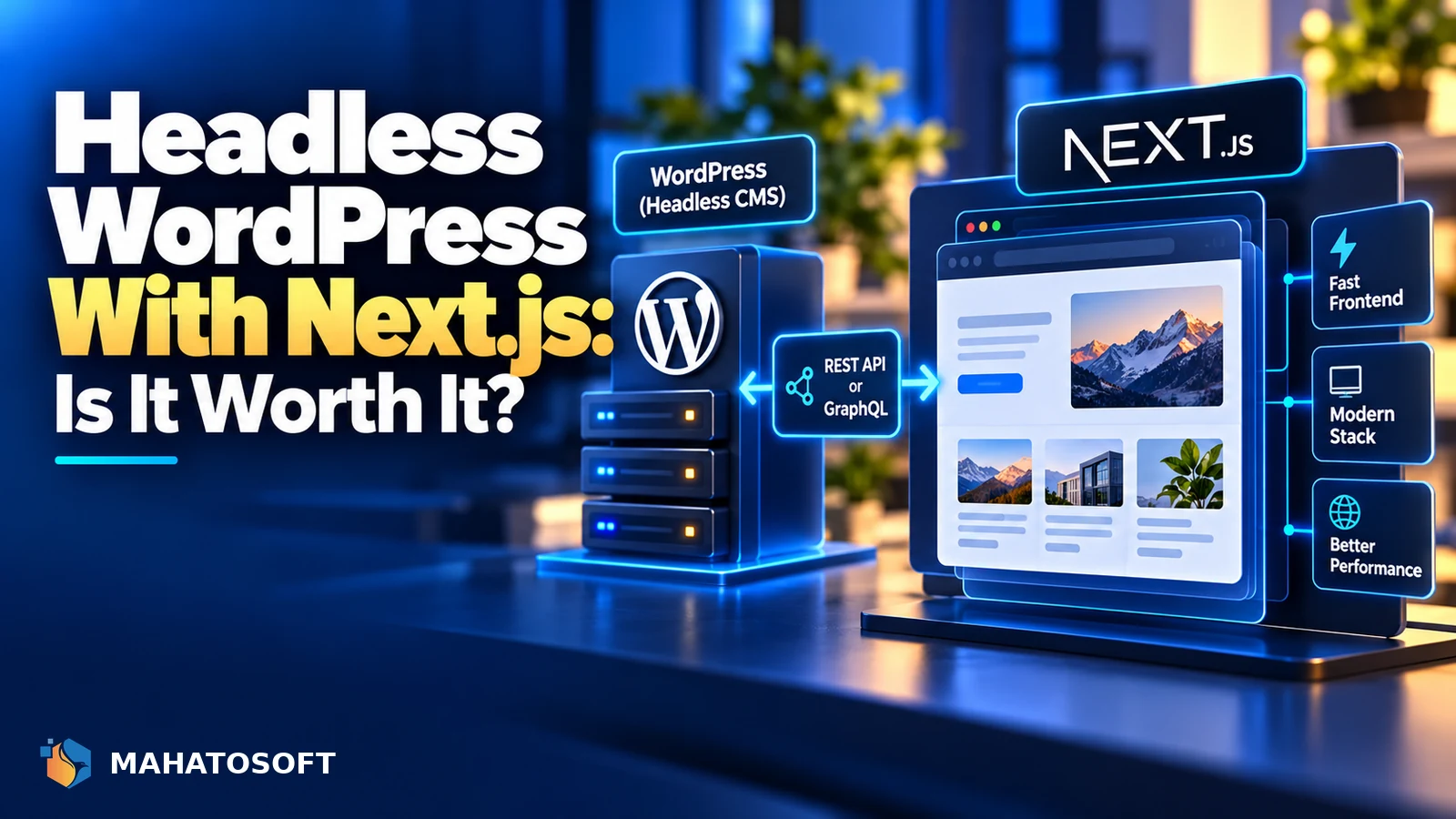
Headless WordPress means using WordPress purely as a content editor and database, while a separate frontend, usually built with Next.js, fetches that content over an API and renders the actual pages. It can be a genuine upgrade for performance and flexibility, but it also removes a lot of what makes WordPress convenient. Here is when it is worth it and when it is not.
Some links in this article are affiliate links. If you buy through them, Mahatosoft may earn a small commission at no extra cost to you.
In a normal WordPress site, WordPress handles both the admin area and the public-facing pages, using PHP templates and a theme. In a headless setup, WordPress keeps the admin area, but the public pages are built and served by an entirely different application, most often a JavaScript framework.
Before you commit, ask one question
Do you need this for a real performance or scaling reason, or because it sounds modern? Most small business sites get more value from a well-optimised traditional WordPress build than from the added complexity of going headless.
What headless WordPress actually means
WordPress ships with a built-in REST API that exposes posts, pages, media and custom fields as JSON. Many headless builds instead use the WPGraphQL plugin, which offers a single flexible GraphQL endpoint that is often easier to query efficiently than several REST calls.
Your frontend, commonly built with Next.js, fetches this data at build time, on each request, or through a cache, and renders the pages itself. Editors still use the familiar WordPress dashboard and the block editor to write content; they generally do not see the final site through WordPress at all.
Why teams choose headless WordPress
- Performance: a frontend built with static generation or edge rendering can be extremely fast, since it is not building the page from a database and PHP template on every request.
- Frontend flexibility: the team can use React, Next.js and modern component libraries instead of being limited to a PHP theme.
- Security surface: the public site does not run WordPress or PHP directly, which removes a class of WordPress-specific attacks against the frontend, though the WordPress admin still needs the same protection.
- Multi-channel content: the same content can feed a website, an app and other surfaces from one editorial source.
What you give up going headless
| Traditional WordPress | Headless WordPress |
|---|---|
| Themes and page builders like Elementor work as designed | Page builder output usually does not carry over; the frontend is built by developers, not in the editor |
| Plugins render their own frontend (forms, SEO, comments) | Most plugin frontends need to be rebuilt manually in the new framework |
| Live preview matches what visitors see | Preview needs custom setup to match the separate frontend |
| One hosting bill, one moving part | Two systems to host, deploy and keep in sync |
SEO plugins are a common surprise. A tool like Yoast SEO can generate meta tags, schema markup and redirects, but a headless frontend has to pull that data through the API and render it itself; none of it appears automatically just because the plugin is active.
Headless WooCommerce is a bigger project
Running a WooCommerce store headless is possible using the WooCommerce Store API or GraphQL, but cart, checkout, tax, shipping and payment gateway logic all need to be re-implemented against the API on the frontend. This is a substantially larger project than a headless content site and is usually only worth it for stores with real scale or custom requirements that a standard WordPress build cannot meet.
When headless WordPress makes sense
- Large content sites where page speed at scale genuinely affects revenue or rankings.
- Teams that already have frontend developers comfortable with React and Next.js and want design freedom a theme cannot give them.
- Content that needs to power more than one product, such as a website and a mobile app, from the same source.
- Sites with unusual, highly custom interactive pages that a page builder cannot realistically produce.
When to stick with traditional WordPress
- Small business and brochure sites where content editors need to build and preview pages themselves, without a developer.
- Stores or sites that rely heavily on plugins for their frontend features, like booking, forms or membership content.
- Teams without an ongoing frontend developer to maintain the separate application, since headless setups need more upkeep, not less.
- Sites where the real problem is slow hosting or an unoptimised theme; see our guide to Core Web Vitals for WordPress before assuming you need a full rebuild.
The real cost of headless WordPress
Headless WordPress is rarely cheaper than a traditional build, at least at the outset. You are paying for two systems instead of one: WordPress hosting for the content side, and separate hosting or a platform like Vercel for the frontend, plus the developer time to build the frontend from scratch rather than configuring a theme.
Ongoing maintenance also doubles up. WordPress core, plugins and PHP still need regular updates on the content side, while the frontend has its own dependencies, framework versions and deployment pipeline to keep current. Factor this into the decision alongside the performance and flexibility benefits, not just the initial build cost.
If you do go headless
Start by deciding between REST and GraphQL. WPGraphQL is the more common choice for custom builds because it lets the frontend request exactly the fields it needs in one call. Then decide on a rendering strategy in your framework: mostly static pages regenerated periodically work well for content that changes occasionally, while server rendering suits content that must always be current. Next.js’s own documentation covers the rendering options in detail, and our guide to WordPress vs React covers the wider decision if you have not settled on headless yet.
Budget time for editorial preview, redirects, XML sitemaps and structured data, since none of these come free the way they do in a normal WordPress theme.
Not sure which approach fits your project?
We build both traditional WordPress sites from $450 and custom React/Next.js/Node.js builds, including headless WordPress, from $1,200. Book a free 15-minute call or contact us to talk through your project.
Headless WordPress: quick answers
Is headless WordPress faster than a normal WordPress site?
It can be, mainly because a well-built headless frontend avoids building each page from PHP and a database on every request. A normal WordPress site with good caching and a fast host can also perform very well, so speed alone is not always a strong enough reason to go headless.
Do I need to know React to use headless WordPress?
Yes, for the frontend. WordPress still handles content and editing as usual, but building and maintaining the public-facing site requires frontend development skills, typically React and Next.js, rather than WordPress theme development.
Can I still use Elementor with headless WordPress?
Not in the normal sense. Elementor renders its own frontend HTML, which a headless setup bypasses entirely, so page-builder-designed layouts generally do not transfer to a separate frontend without being rebuilt.
Is headless WordPress good for SEO?
It can match or exceed a traditional site’s SEO if meta tags, structured data, sitemaps and redirects are all correctly rebuilt on the frontend, but none of that happens automatically the way it does with an SEO plugin on a normal WordPress site.
Discussion
Join the conversation
No comments yet. Share a question or what worked for you.