Choosing dmarc quarantine vs reject, or staying at p=none, determines what happens to email that fails authentication while claiming to be from your domain. Move too fast and you can block your own legitimate mail; move too slowly and you leave phishing protection switched off. Here is how to read your reports and know when to switch.
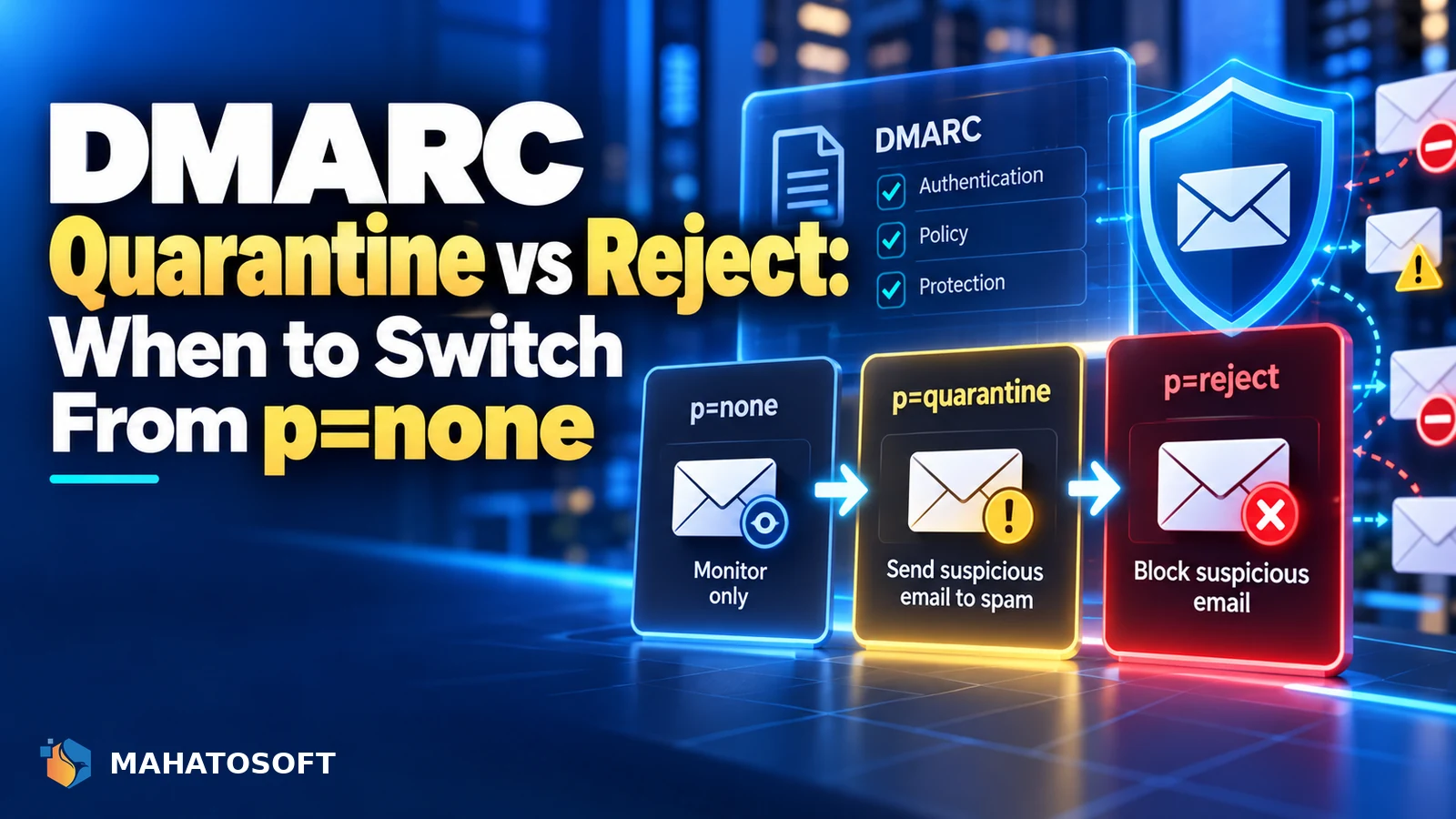
DMARC has three policy levels, set with the p= tag in your DNS record, and they are meant to be used in order, not jumped straight to the strictest one.
Never start at p=reject
If you do not already have a DMARC record, start at
p=noneand read our guide on how to read a DMARC report first. Jumping straight to reject before you know what is sending mail as your domain is the most common way businesses lose legitimate email during setup.
The three DMARC policies explained
| Policy | What happens to failing mail | Use it for |
|---|---|---|
p=none |
Nothing; mail is delivered as normal | Monitoring only, while you set up SPF and DKIM |
p=quarantine |
Usually sent to spam/junk instead of the inbox | Once you have confirmed every legitimate sender passes |
p=reject |
Rejected outright by the receiving server | Once quarantine has run clean for a period with no surprises |
The DMARC standard (RFC 7489) defines all three formally, along with the reporting mechanism that makes moving between them safe.
A quick reminder of how DMARC evaluates mail
DMARC checks whether a message passes SPF or DKIM, and whether the domain in either of those aligns with the domain in the visible “From” address. If neither passes with alignment, the policy you have published decides what the receiving server does next. This is why fixing SPF and DKIM always comes before tightening your DMARC policy; DMARC enforces what those two records already established.
Why you start at p=none
A p=none policy does not block or filter anything. What it does is turn on reporting: receiving servers send you aggregate reports listing every source claiming to send mail as your domain, whether it passed authentication or not. This is the only realistic way to discover every legitimate sender, including ones you may have forgotten about, like an old marketing tool, a CRM, or an invoicing system.
v=DMARC1; p=none; rua=mailto:dmarc-reports@yourdomain.com
Leave this in place for at least two to four weeks, reviewing the reports as they arrive, before considering a move to quarantine.
Dmarc quarantine vs reject: the real difference
Both quarantine and reject only apply to mail that fails DMARC after everything else has been checked. The difference is what the receiving server does with it:
- Quarantine asks the receiving server to treat failing mail with suspicion, typically routing it to spam or junk rather than the inbox. The message still arrives somewhere, so a false positive is recoverable, if annoying.
- Reject asks the receiving server to refuse the message outright, usually with a bounce back to the sender. A false positive here means the message never arrives at all, and the sender may not even know it failed.
Because reject has no safety net, it should only follow a clean run at quarantine, not replace it. Understood this way, dmarc quarantine vs reject is less a single choice and more a two-step rollout.
When to move from quarantine to reject
Check your aggregate DMARC reports over at least two to four weeks at p=quarantine. You are looking for zero unexplained failures from sources you actually recognise as legitimate. Common surprises at this stage include a forgotten newsletter tool, a shared inbox someone uses to send from a personal email client, or a printer/scanner configured to email scanned documents “from” your domain.
Getting the dmarc quarantine vs reject decision right at this stage is mostly about patience: rushing costs you legitimate mail, waiting too long leaves phishing protection switched off. Once every legitimate source passes cleanly and consistently, move to reject with confidence:
v=DMARC1; p=reject; rua=mailto:dmarc-reports@yourdomain.com
Use the pct tag to move gradually
You do not have to apply a new policy to 100% of your mail at once. The pct tag lets you apply the stricter policy to a percentage of failing messages, ramping up gradually:
v=DMARC1; p=quarantine; pct=25; rua=mailto:dmarc-reports@yourdomain.com
Raise the percentage over successive weeks as you confirm no legitimate mail is affected, then remove the pct tag entirely once you are confident, which defaults to 100%.
What to actually look for in the reports
Aggregate DMARC reports arrive as XML attachments, which is not something most people want to read by hand. A free reader tool, or the report-parsing built into most DMARC monitoring dashboards, turns them into a simple table: source IP, whether SPF and DKIM passed, and how many messages came from that source. Focus on any row that failed but came from an IP address you recognise as one of your own services; those are the sources you need to fix, either by adding them to SPF or setting up DKIM signing, before tightening the policy further.
Rows that failed and come from an unfamiliar IP are usually exactly what DMARC is meant to catch: someone else sending mail pretending to be your domain. Those failures are expected and are not a reason to hold off on moving to a stricter policy.
Don’t forget subdomains
By default, your DMARC policy also applies to subdomains unless you set a separate one with the sp= tag. If a subdomain sends mail through a different system, for example a marketing platform on news.yourdomain.com, make sure it is covered by your monitoring before tightening the subdomain policy alongside the main one.
Why this matters more since 2024’s bulk sender rules
Since Gmail and Yahoo’s bulk sender requirements took effect, a valid DMARC record is mandatory for anyone sending roughly 5,000 or more messages a day to Gmail addresses, and it is strongly recommended for everyone else regardless of volume. Google’s own email sender guidelines spell out the current requirements. A record at p=none technically satisfies the minimum bar, but moving toward quarantine or reject is what actually stops someone else’s phishing email from damaging your domain’s reputation on your behalf. That is why the dmarc quarantine vs reject decision matters more than it used to, even for businesses that send only a modest amount of mail.
Common mistakes moving between DMARC policies
Most dmarc quarantine vs reject mistakes come from skipping a step rather than picking the wrong policy outright:
- Setting reject before checking reports at all. This blocks legitimate mail you did not know existed.
- Ignoring reports once you reach quarantine. New services get added over time; keep monitoring even at a stable policy.
- Forgetting the
ruareporting address. Without it you are flying blind at every stage, including after you reach reject.
Rather have it done for you?
We set up SPF, DKIM and DMARC and manage the move from none to quarantine to reject safely for $49 flat. Get it set up, and check your current records with our free SPF, DKIM and DMARC checker.
DMARC quarantine vs reject: quick answers
Can I skip quarantine and go straight to p=reject?
It is technically possible but risky, since you lose the safety net that lets a misconfigured legitimate sender still reach the inbox while you notice and fix it. Going through quarantine first is the safer, standard practice.
How long should I stay at each DMARC policy level?
At least two to four weeks at each level is a reasonable minimum, longer if your business uses many different email-sending services or has irregular sending patterns like seasonal campaigns.
Will dmarc quarantine vs reject affect email I receive, or only email I send?
DMARC only affects mail sent from your domain as evaluated by other people’s receiving servers. It has no effect on mail you receive into your own inbox.
What happens if I never move past p=none?
You get visibility through reports but no actual protection, since nothing is blocked or filtered. Anyone can still send phishing email that appears to come from your domain, which defeats much of the point of setting up DMARC in the first place.