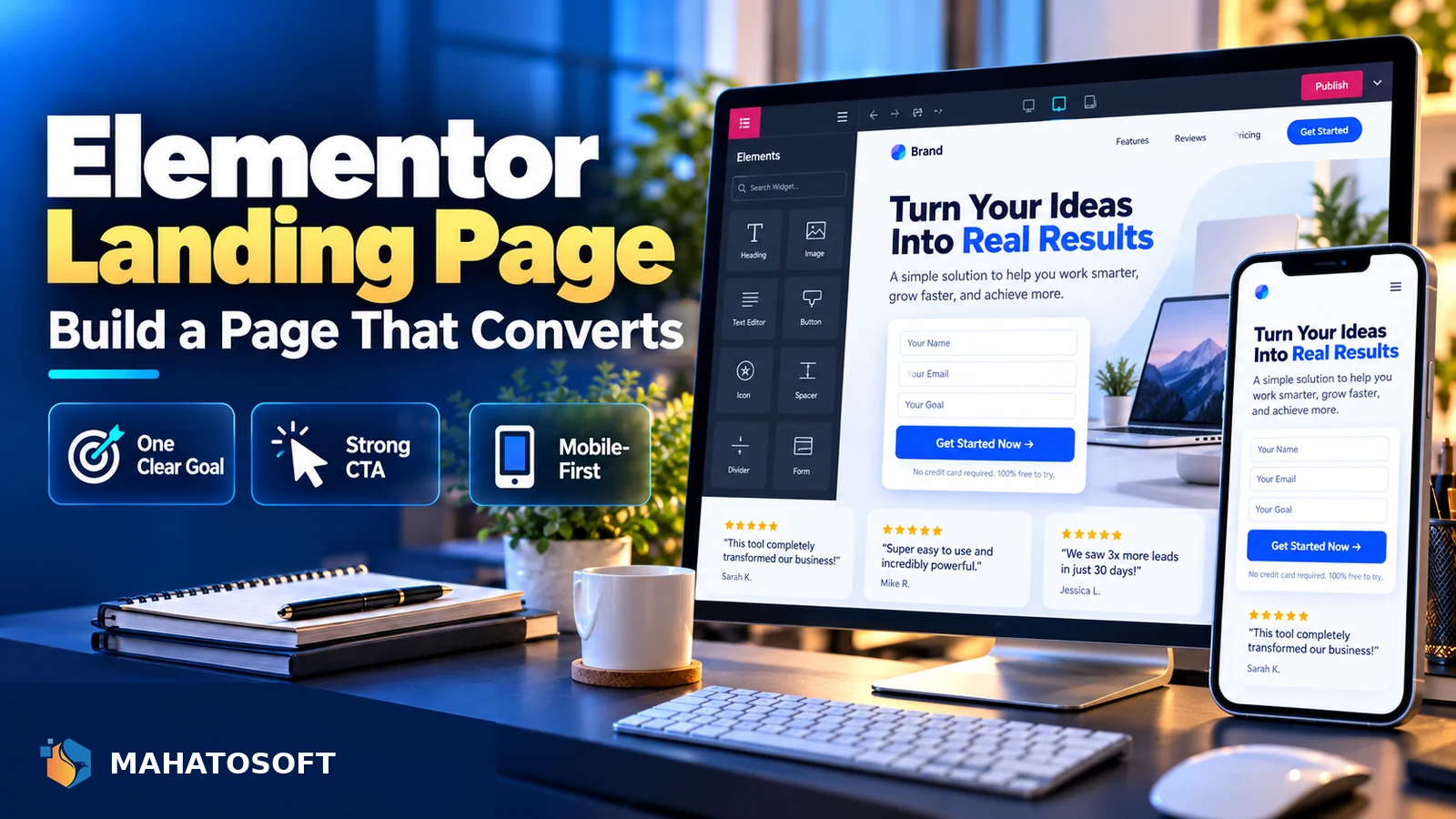
A good Elementor landing page has one job: get the visitor to take one action, whether that is booking a call, buying a product or filling in a form. Most landing pages that convert poorly are not broken, they just try to do too many things at once. This guide covers the structure, settings and common mistakes that make the difference.
Some links in this article are affiliate links. If you buy through them, Mahatosoft may earn a small commission at no extra cost to you.
Elementor’s free version can build a solid landing page, but Elementor Pro adds the dedicated Landing Page template type, popup builder and more form actions, which is why most agencies reach for Pro once a page needs to actually convert rather than just look good.
Start from the goal, not the design
Before opening the editor, write down the single action you want the visitor to take. Every section on the page should either build a reason to take that action or remove a reason not to.
The structure that converts
Landing pages that perform well follow a similar order, even across very different industries:
- Headline and subheadline: the specific outcome the visitor gets, not a vague slogan.
- Primary call-to-action button, visible without scrolling on both mobile and desktop.
- Proof: logos, real testimonials, numbers, or before/after examples.
- How it works or what is included, in three to five simple steps.
- Objection handling: pricing clarity, guarantee, FAQ.
- A second call-to-action, repeated at the bottom for visitors who scrolled the whole way.
Not every page needs every section, but skipping the first two rarely works. Following this order is usually the fastest way to turn a plain page into an Elementor landing page that actually converts, rather than one that just looks finished.
Setting up an Elementor landing page template
With Elementor Pro, create a new page and choose the Landing Page template type under Elementor → Templates → Add New, rather than a normal WordPress page. This automatically strips your theme’s header, footer and sidebar, which is exactly what a focused landing page needs: nothing to click except the one action you want. Elementor’s own landing page documentation walks through the template picker if this is your first one.
If you are using free Elementor, achieve the same effect by choosing a blank page template in your theme (most WordPress themes have one) or a “Canvas” template in Astra, GeneratePress or similar, then building the page with Elementor’s default editor. Either route gets you the same distraction-free result; Pro just saves you the theme-hunting step.
Proof that actually earns trust
Whatever proof you include has to be real. Genuine client logos, an honest before-and-after, or a specific number you can stand behind all work better than vague claims, and they hold up if a visitor checks. If you do not yet have testimonials or case studies for a new offer, lean on specifics instead: exactly what is included, how the process works, and a clear guarantee or refund policy, which do the same trust-building job without needing a track record yet.
Write the headline like a promise, not a slogan
The strongest landing page headlines state the specific result, for the specific person, in plain language. “Get a website that loads in under two seconds” outperforms “Web Design Solutions” almost every time, because it answers the visitor’s actual question in the first three seconds on the page.
Keep the subheadline to one sentence that adds a detail the headline could not fit, such as timing, price range, or who it is for.
Call-to-action buttons that actually get clicked
- Use a verb plus the outcome: “Get my free quote” beats “Submit”.
- Make the button colour contrast clearly with everything around it, not just match your brand palette.
- Repeat the same action wording across every button on the page; changing it partway through creates hesitation.
- Keep the button above the fold on mobile, where most landing page traffic from ads now arrives.
Forms: shorter almost always wins
Every extra field on an Elementor form reduces completion. Ask only for what you need to follow up: usually name, email and one qualifying question. Elementor Pro’s Form widget supports conditional logic, so you can hide extra fields until they are relevant instead of showing everything at once.
Connect the form to your email service or CRM through Elementor’s built-in integrations rather than relying only on email notifications, which can land in spam if your site is not sending authenticated mail. If your form emails are not arriving, check our guide on WordPress not sending emails.
Speed matters more on landing pages than almost anywhere else
Landing pages usually receive paid traffic, and a slow page burns ad spend before the visitor ever sees your offer. Google’s own research, summarised in its page experience guidance, links slow load times directly to higher bounce rates on exactly this kind of page.
- Avoid stacking multiple sliders, video backgrounds and heavy animations on one page.
- Compress and correctly size every image before uploading.
- Use a caching plugin and keep third-party scripts, such as chat widgets, to the minimum you actually need.
Our guide to Core Web Vitals for WordPress covers the technical side if you want to go deeper.
Design mobile-first, then check desktop
Elementor’s responsive editing lets you set different values per device, but many people design on a wide desktop monitor and only glance at mobile at the end. Since most landing page clicks now come from ads on a phone, build the mobile version first and treat desktop as the secondary check.
Test tap targets are large enough, text is readable without zooming, and the call-to-action button is reachable with a thumb near the bottom of the screen.
Common Elementor landing page mistakes
| Mistake | Why it hurts conversions |
|---|---|
| Navigation menu still visible | Gives the visitor an easy way to leave without acting |
| Multiple competing offers on one page | Splits attention and reduces the chance of any single action |
| Stock photos with no real connection to the offer | Reduces trust rather than building it |
| No mobile testing before launch | Broken layouts on the device most visitors actually use |
Want one built for you?
We build Elementor Pro landing pages designed to convert, with copy, structure and speed handled together. See the landing page package or contact us with your offer.
Elementor landing page: quick answers
Do I need Elementor Pro to build a landing page?
Free Elementor can build one using a blank theme template, but Elementor Pro’s dedicated Landing Page template type, popup builder and advanced form actions make it considerably faster and give you more conversion tools out of the box.
How long should an Elementor landing page be?
Long enough to answer every objection your specific offer raises, and no longer. A simple, low-commitment offer might need only one screen; a higher-priced service usually needs proof, process and FAQ sections to earn the click.
Should a landing page have a navigation menu?
Generally no. The whole point of a landing page is a single path to one action, and a navigation menu gives visitors an easy way to leave before they take it.
What is a good conversion rate for an Elementor landing page?
It varies enormously by industry, offer and traffic source, so treat any specific number you see elsewhere with caution. Focus on testing your own page against itself over time rather than comparing to an outside benchmark.