The WordPress white screen of death is a completely blank page, no error message, no styling, nothing to click. It is one of the most frustrating WordPress problems precisely because it gives you no clue where to start. The nine fixes below, in order, find the cause in almost every case.
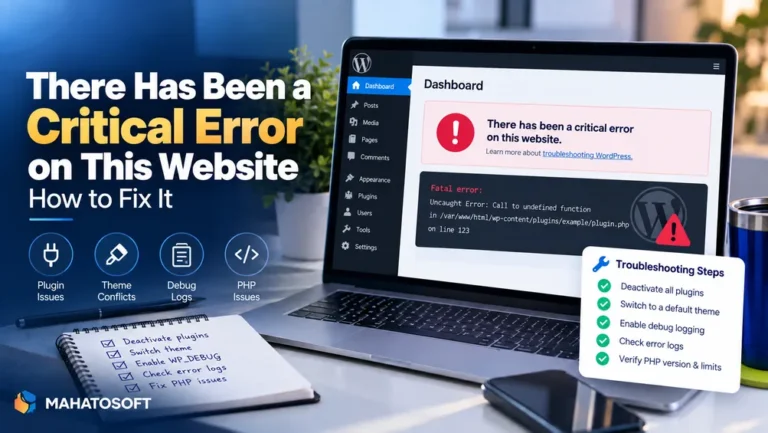
A true white screen is different from the friendlier “There has been a critical error” message WordPress introduced in version 5.2. Both often share the same underlying cause, a PHP fatal error, but a plain blank page usually means error display is switched off entirely, so nothing shows at all, not even a generic message.
Back up before you start
Take a full backup, or at least download
wp-config.phpand note your current plugin list, before making changes. Every fix below is reversible as long as you have that starting point.
Why the WordPress white screen of death shows nothing at all
PHP fatal errors normally print a message. If your site shows a truly blank page instead, it usually means display_errors is turned off at the server level, which is common and correct on a production site, since showing raw PHP errors to visitors is a security risk. The error is still happening; you just cannot see it without checking the log or turning debugging on yourself.
1. Turn on WP_DEBUG to see what is actually failing
Connect by SFTP and open wp-config.php. Add these lines just above “That’s all, stop editing!”:
define( 'WP_DEBUG', true );
define( 'WP_DEBUG_LOG', true );
define( 'WP_DEBUG_DISPLAY', false );
Reload the site, then check /wp-content/debug.log. It names the exact file and line the fatal error is coming from, which turns a blind guessing game into a direct fix. Remove these lines again once you are done.
2. Deactivate all plugins by renaming the folder
Without admin access, go to /wp-content/plugins/ by SFTP and rename it to something like plugins-disabled. WordPress cannot find any plugins, so it disables them all, and a plugin-caused white screen usually clears immediately.
If the site loads again, rename the folder back, then rename each individual plugin subfolder one at a time, reloading after each, until the white screen returns. That plugin is the cause.
3. Switch to a default theme
If plugins are not the cause, rename your active theme’s folder in /wp-content/themes/ to force WordPress back to a default theme. A recent edit to functions.php, in particular, is a very common cause of a white screen with no message, since a stray syntax error there breaks the whole site immediately.
4. Raise the PHP memory limit
A memory exhaustion error can also render as a completely blank page rather than a visible message. Add this to wp-config.php:
define( 'WP_MEMORY_LIMIT', '256M' );
If the site loads afterward, memory was the constraint. Ask your host to confirm the server-level PHP memory_limit matches, since the WordPress constant cannot exceed it.
5. Clear your browser cache and any site caching
Occasionally a white screen is nothing more than a corrupted cached copy of the page. Hard refresh your browser, try a private window, and clear any caching plugin or CDN cache such as Cloudflare before assuming the cause is server-side.
6. Check the wp-admin dashboard separately
Try loading yoursite.com/wp-admin/ directly. If the dashboard loads but the front end does not, the problem is likely in your active theme’s template files rather than a plugin or core issue, which narrows your search considerably.
7. Re-upload WordPress core files
If nothing above resolves it, core files themselves may be corrupted or partially overwritten, sometimes from an interrupted update. Download a fresh copy of WordPress from wordpress.org, and replace the wp-admin and wp-includes folders entirely, without touching wp-content or wp-config.php.
8. Check file and folder permissions
Incorrect permissions, often after a migration or a restore from backup, can stop PHP reading files it needs, producing a blank page with no clear error. Standard permissions are 644 for files and 755 for folders, as described in the WordPress file permissions handbook; check these against your host’s recommended values, since some hosts use slightly different conventions.
9. Check for a corrupted .htaccess file
A broken .htaccess file can prevent Apache from serving pages correctly. Rename it temporarily, then go to Settings → Permalinks and click Save to let WordPress regenerate a fresh one. If the site loads again, the old file had a syntax error or an unwanted rule left over from a plugin.
Quick reference: symptom to fix
| What you notice | Try this first |
|---|---|
| Happened right after a plugin update | Fix 2, deactivate plugins |
| Happened after editing theme files | Fix 3, switch theme |
| Site was fine, then suddenly blank | Fix 4, memory limit, then Fix 1, debug log |
| wp-admin loads, front end does not | Fix 3, theme template files |
| Happened after a migration or restore | Fix 8, file permissions |
Preventing it happening again
Test plugin and theme updates on a staging copy before applying them live, keep a recent backup you can restore without needing wp-admin, and consider enabling WordPress recovery mode notifications so you get an email the moment a fatal error occurs, rather than finding out from a visitor. If you regularly see resource-related errors alongside the white screen, it is worth also reading about the error establishing a database connection, since both can stem from the same overloaded hosting environment.
Rather have it fixed for you?
We fix the WordPress white screen of death and other website errors from $45, usually the same day. Get your website error fixed or contact us with your site address.
WordPress white screen of death: quick answers
Will the WordPress white screen of death delete my content?
No. It is a PHP fatal error stopping a page from rendering, not a database problem, so your posts, pages and settings are unaffected. The only step that changes data is restoring an old backup, which you only need if the site cannot be fixed any other way.
Why does the WordPress white screen of death show no error message at all?
Production servers normally hide raw PHP errors from visitors for security reasons, which is correct behavior, but it means the message exists only in your error log until you turn on debugging yourself.
Is the WordPress white screen of death the same as a critical error?
They usually share the same underlying cause, a PHP fatal error, but WordPress 5.2 and later normally shows a “There has been a critical error” message instead of a truly blank page. A genuine white screen with nothing on it at all often points to error display being fully disabled, or a failure early enough that WordPress itself never loaded to show its own message.
Can a hosting problem cause the WordPress white screen of death?
Yes. A PHP version mismatch after a hosting change, a resource limit being hit, or a server-level misconfiguration can all produce a blank page indistinguishable from a plugin conflict until you check the debug log.